tevik IA · Daily summary
A smart summary of what lies ahead, generated right on your iPhone by Apple Intelligence. Your data never leaves the device.

TEVIK GROUP · APPS FOR IPHONE
Your life. Organized.
Tasks, calendar and timeline. More focus on what matters, with privacy by nature.
Free · No account · iPhone with iOS 17 or later
Tevik Notes · The essentials
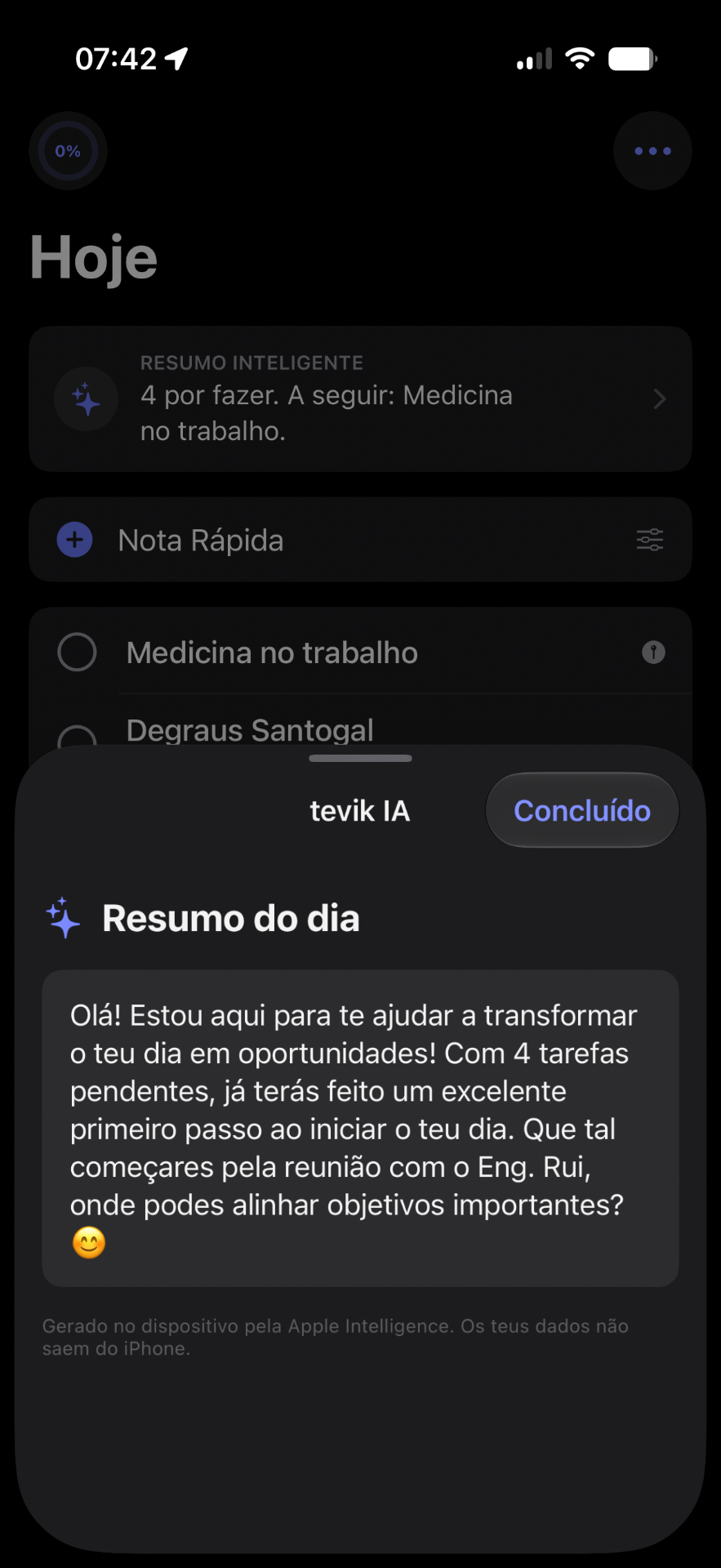
A smart summary of what lies ahead, generated right on your iPhone by Apple Intelligence. Your data never leaves the device.
Dictate "dentist Tuesday at 15:00" and AI creates the task with a date, time and context — no typing.
A “Daily balance” card with practical suggestions to help you stay focused and keep the right pace.
Your data stays on your iPhone. Zero servers. Zero tracking.
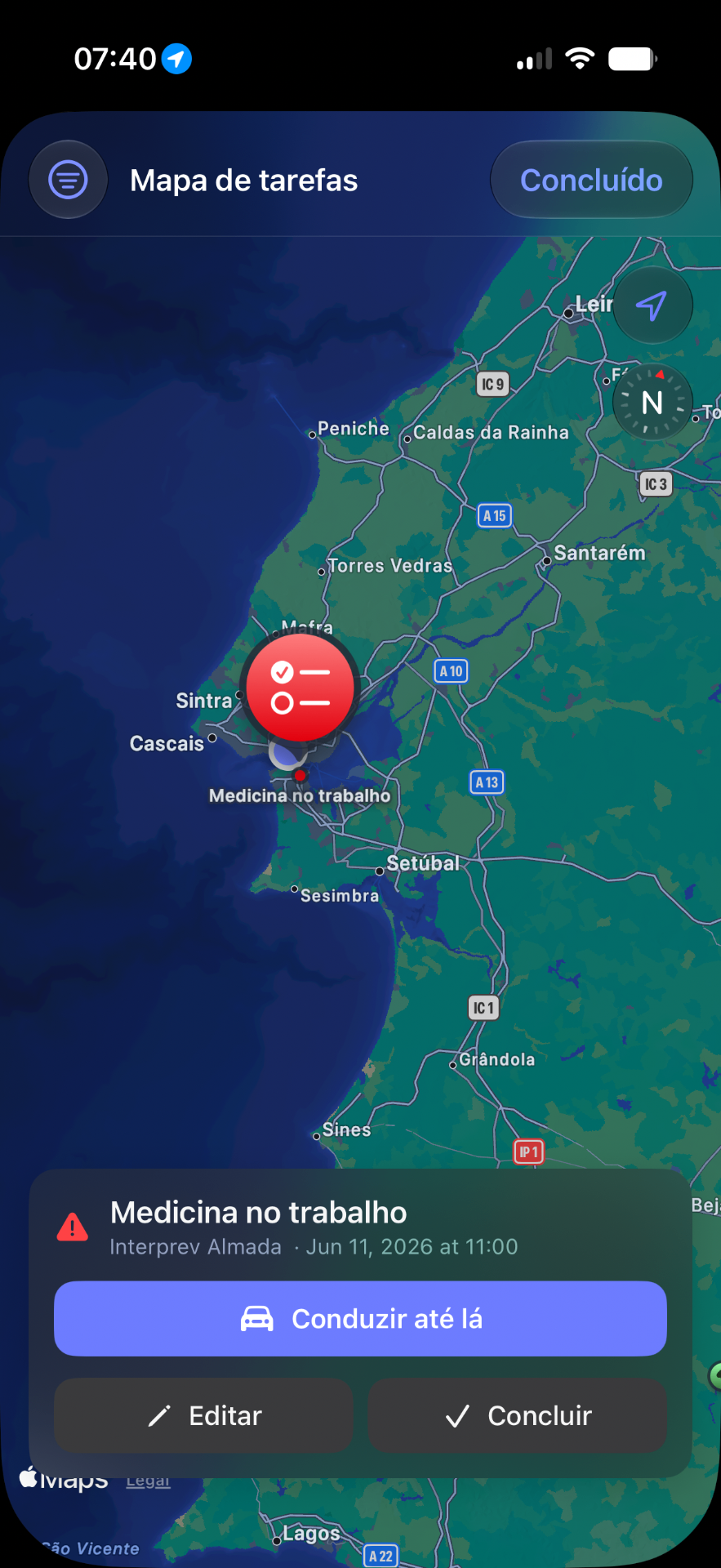
See location-based tasks on the map and get driving directions in a tap.
Capture an idea in seconds. The app gives you a summary of what's left to do and what's coming next.
Your tasks in Apple Calendar, and events imported as tasks — no setup required.
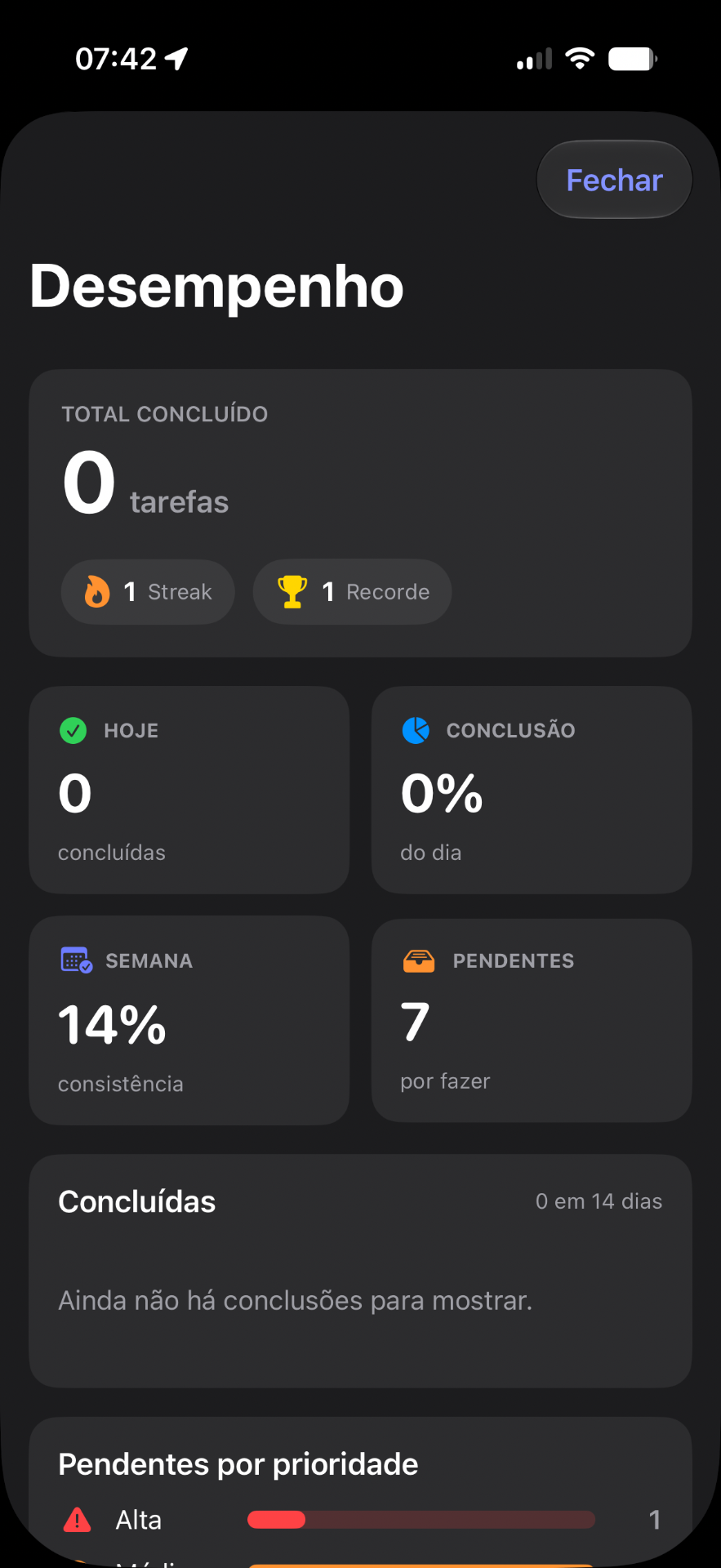
See consistency, completions and pending tasks by priority. Build momentum.
Tevik Notes · New presentation
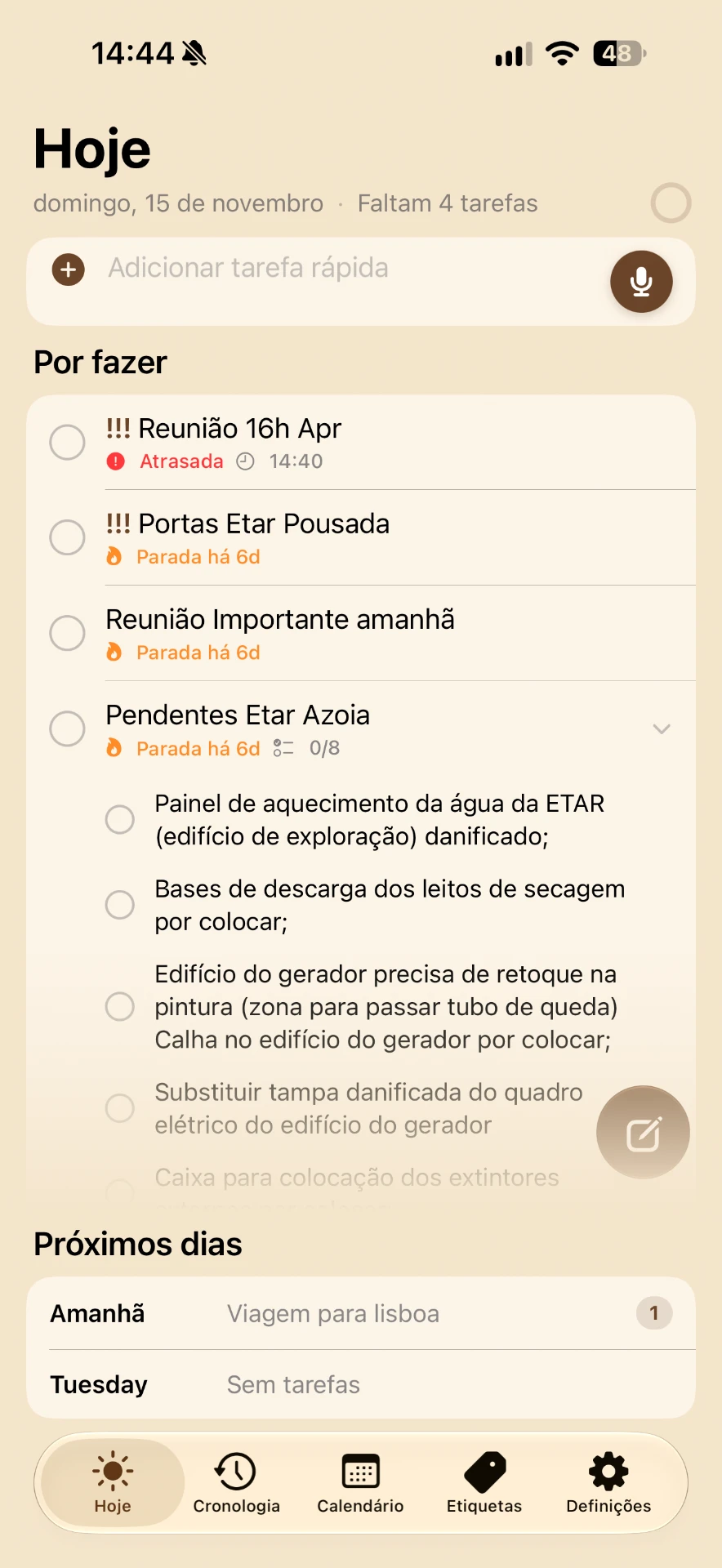
Your day, your tasks and what's next. In light, dark or warm tones.
Features
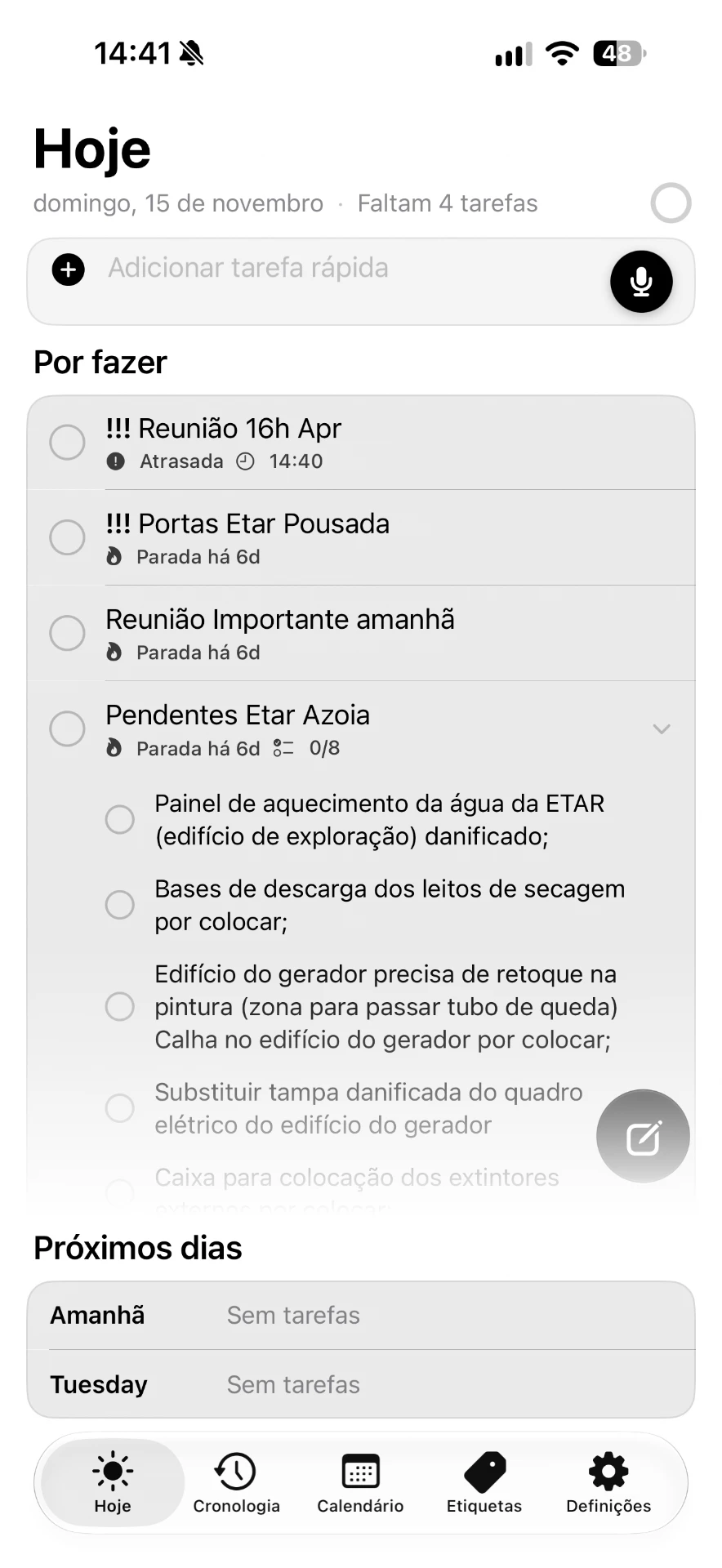
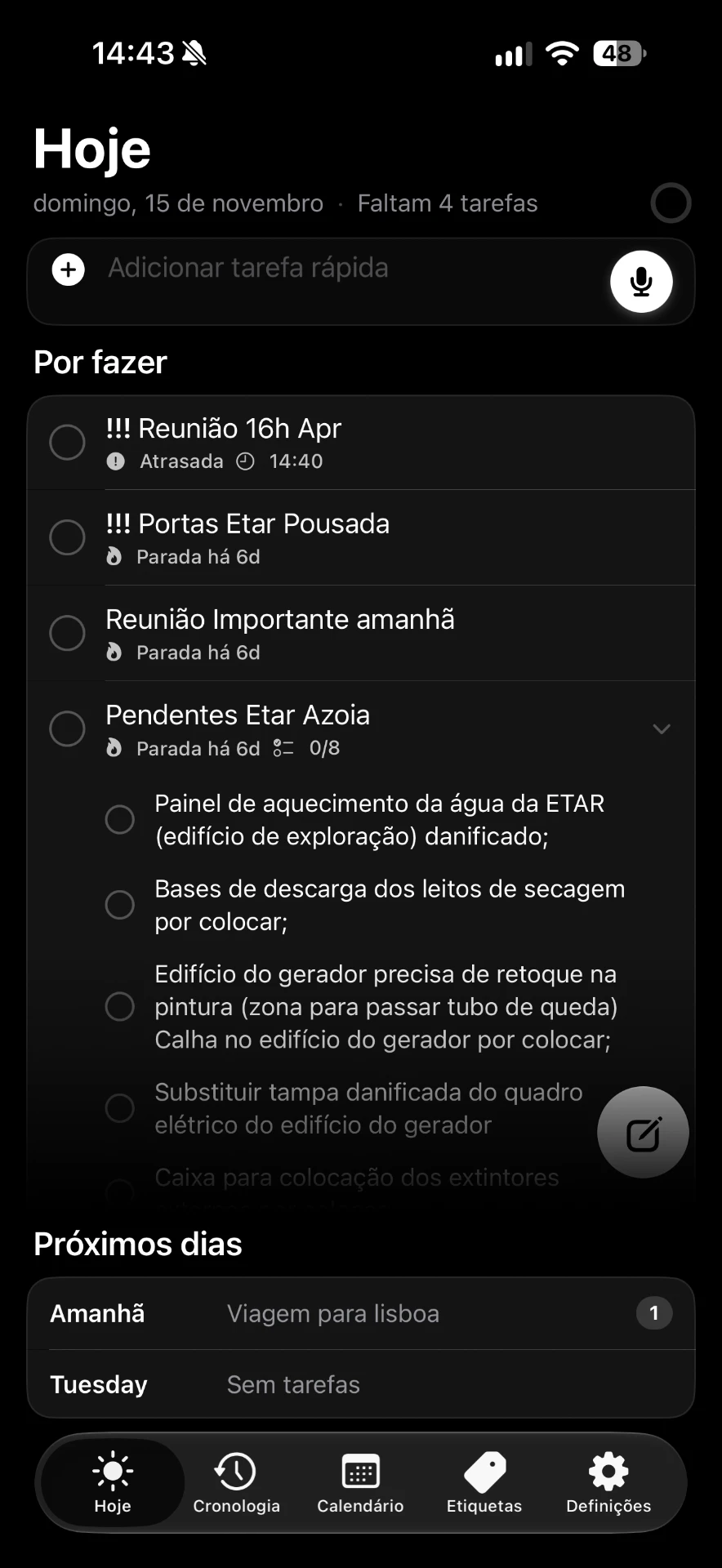
Today View
The Today view brings together unfinished tasks, each task's steps and the coming days in one place.
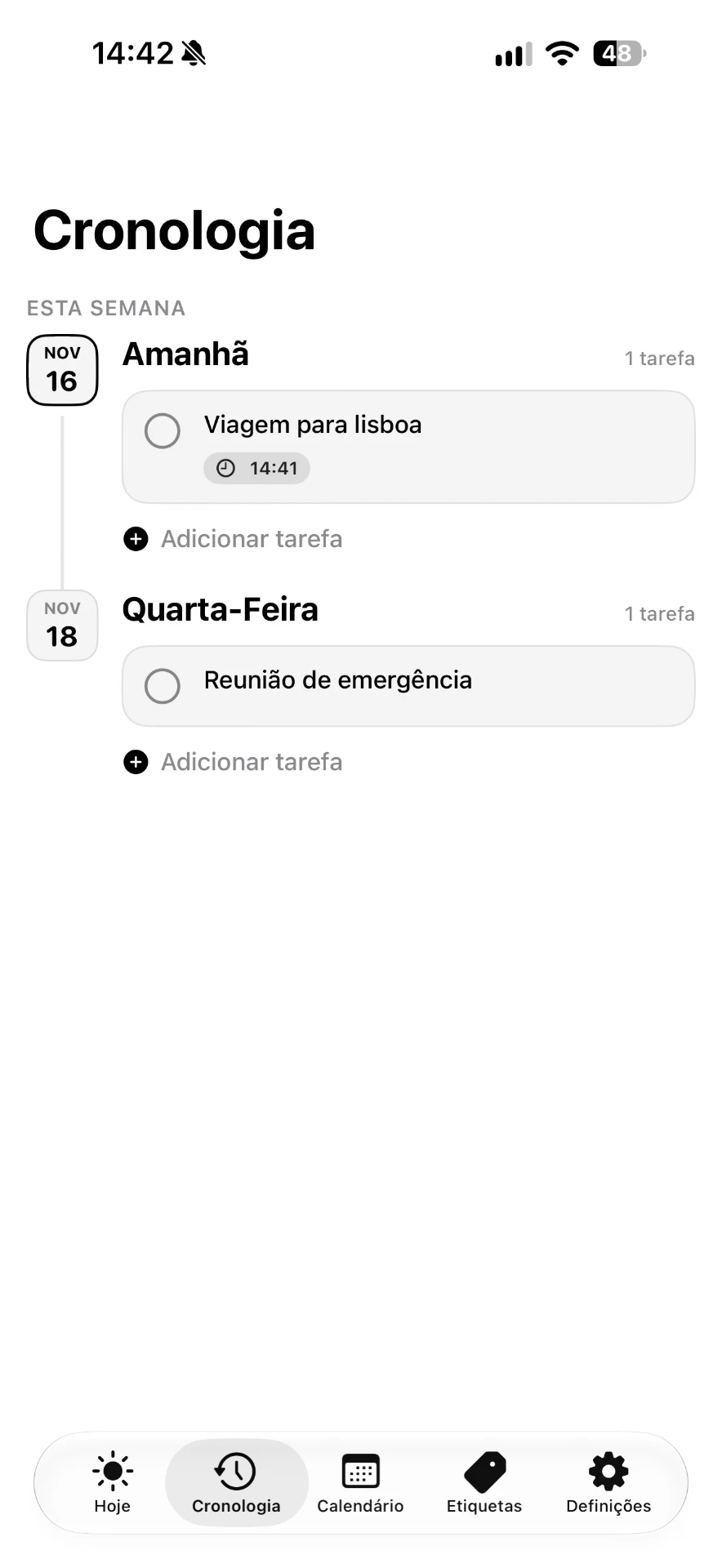
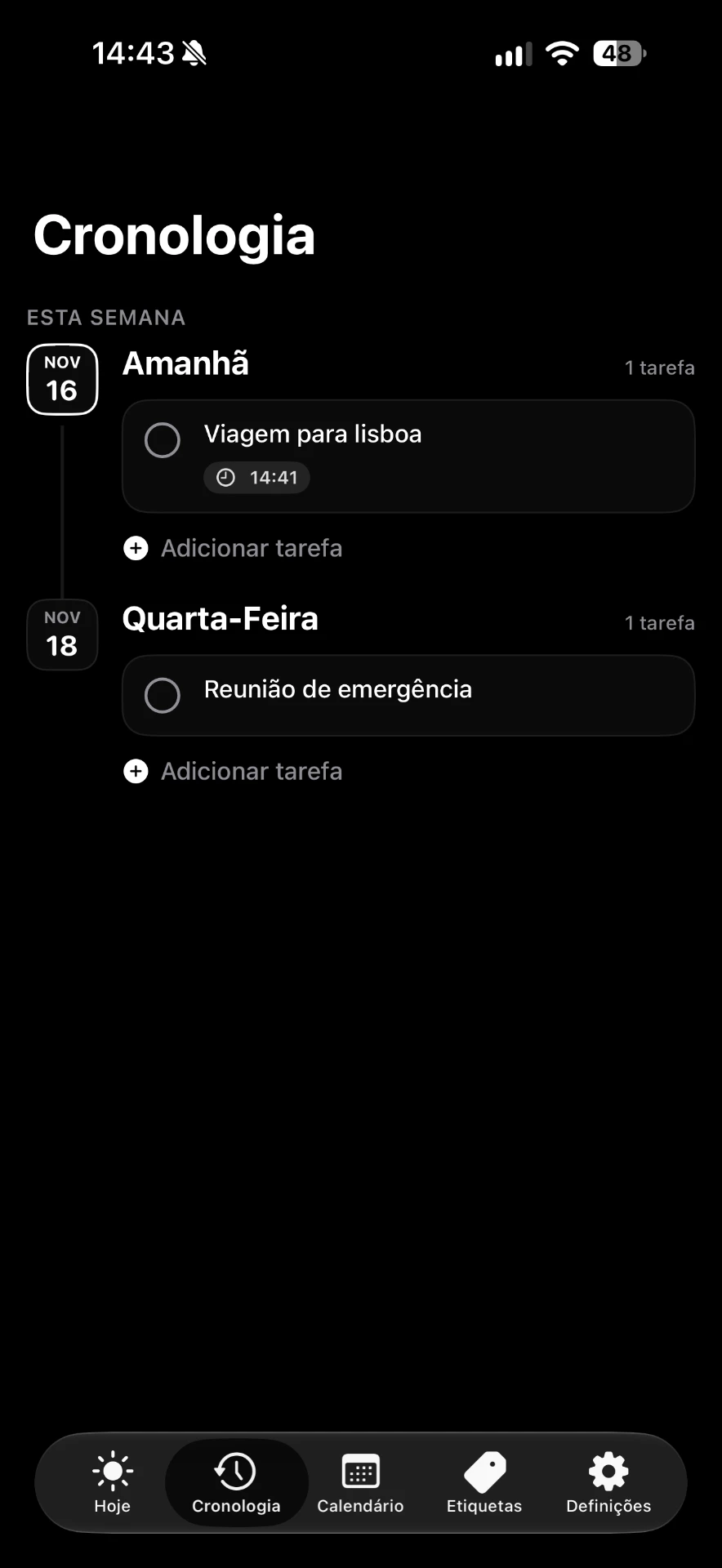
Cronologia
An elegant timeline shows you everything coming up. Grouped by day, with visible priorities and your life always in context.
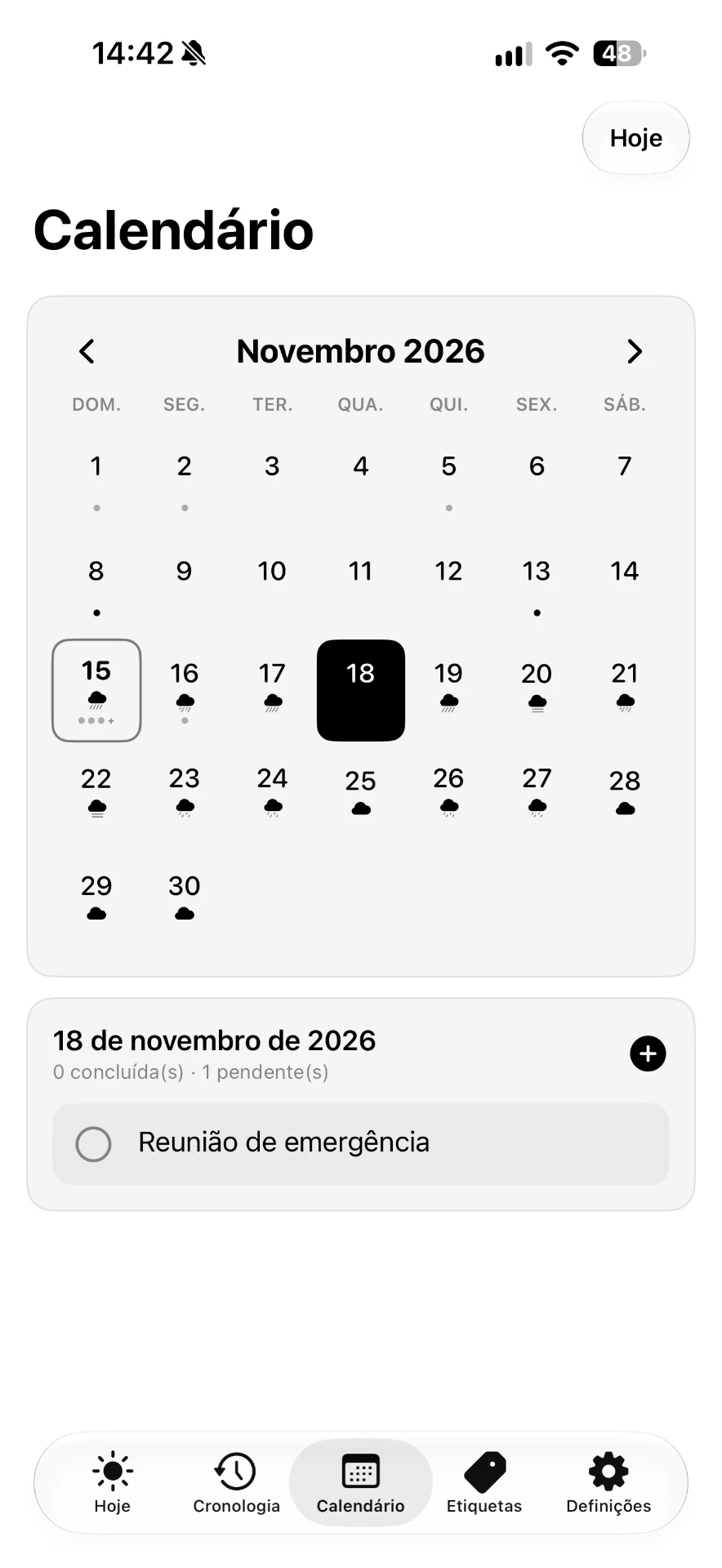
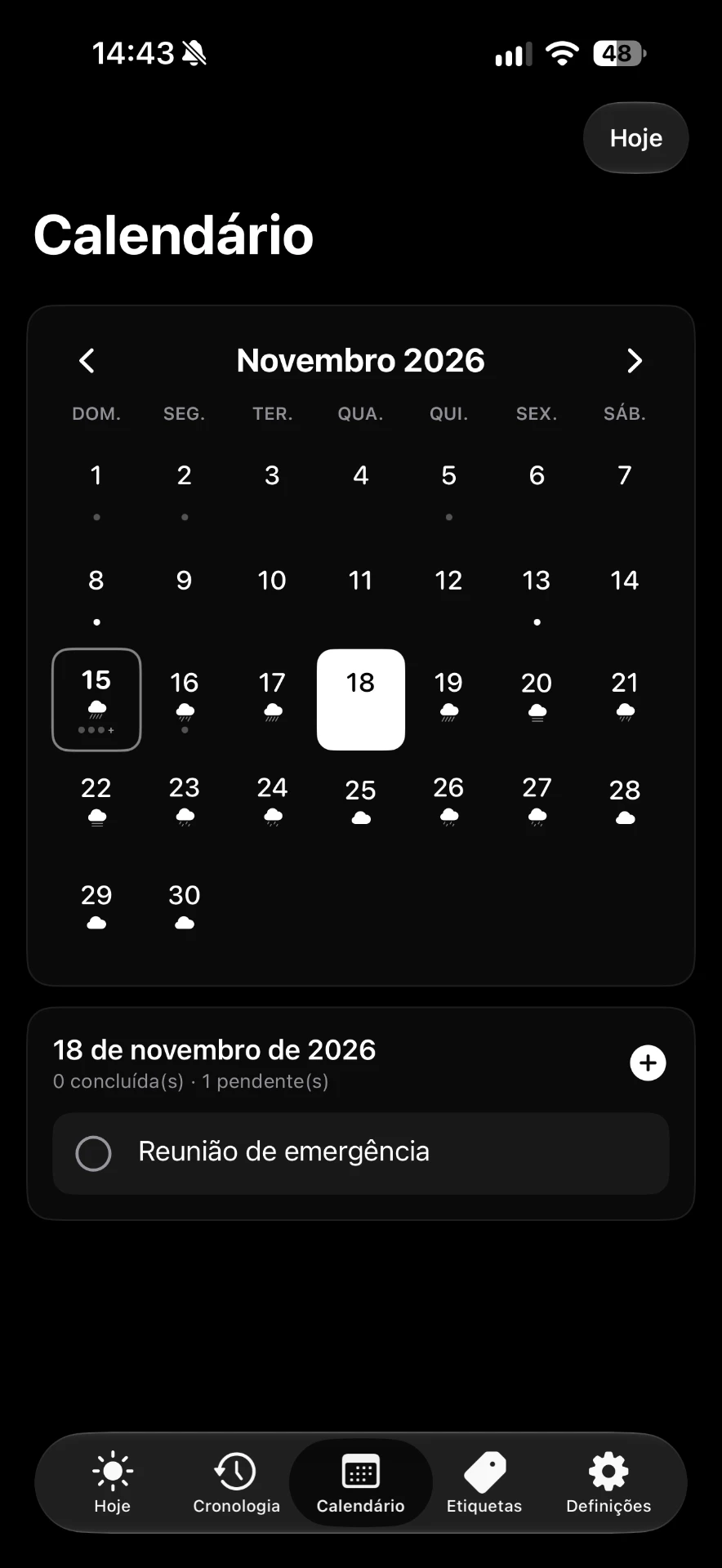
Calendar
See the whole month with subtle daily workload indicators. Tap a day to open all its tasks — no noise, no distractions.
Etiquetas
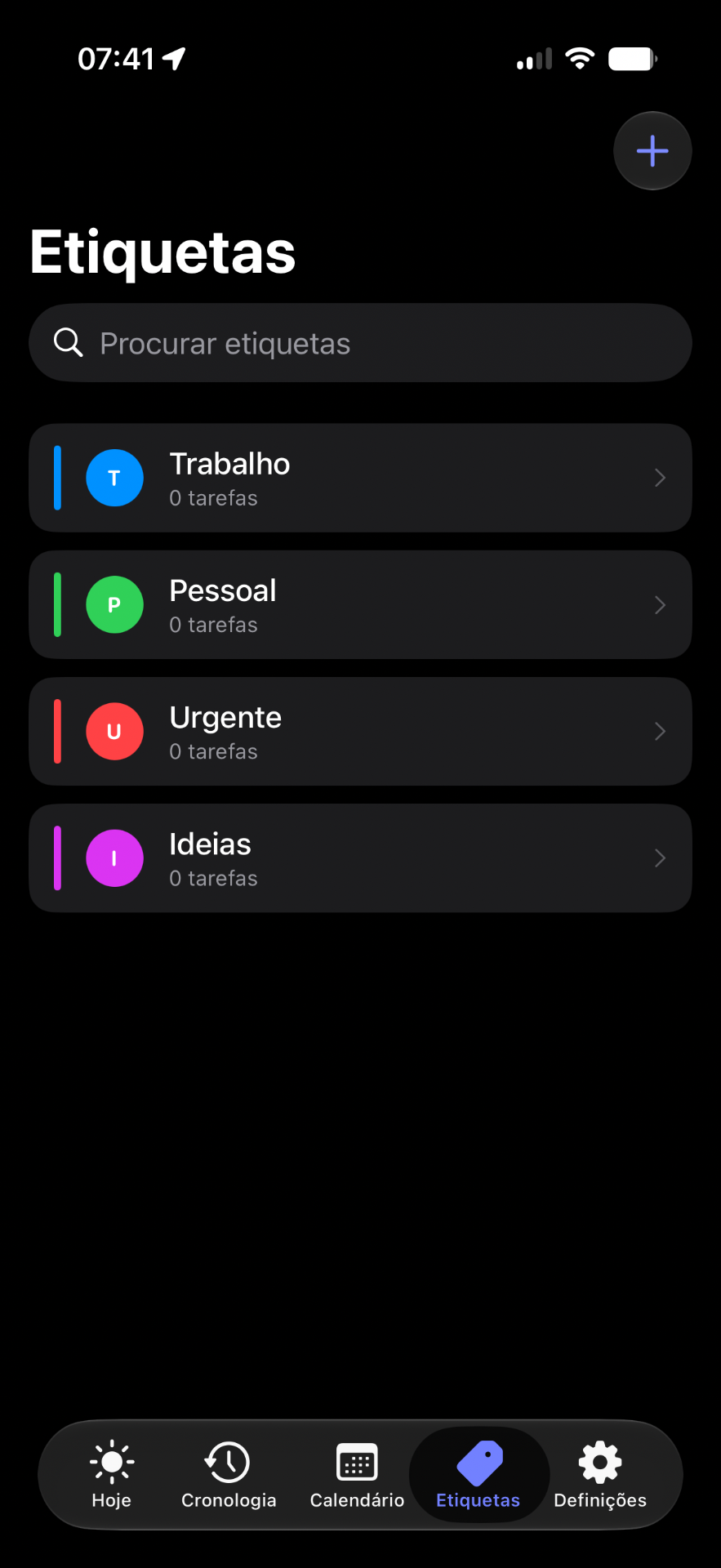
Create custom labels — Work, Personal, Urgent, Ideas. Instant search, favorites and real-time counters.
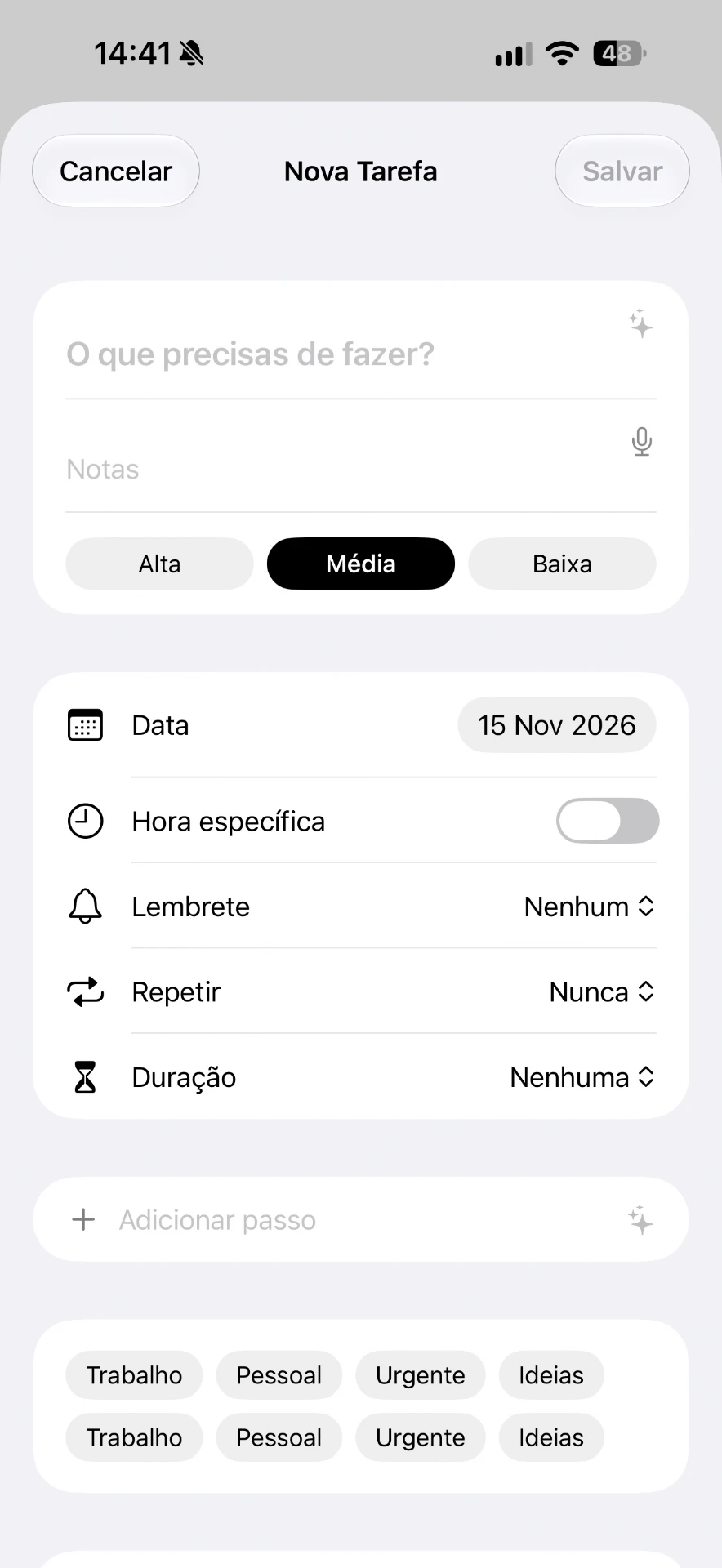
New Task
Title, notes, priority, date and steps — the details of what you need to do on a single screen.
tevik IA
tevik IA generates a smart summary of what's ahead, directly on your iPhone, through Apple Intelligence. Your data never leaves the device.
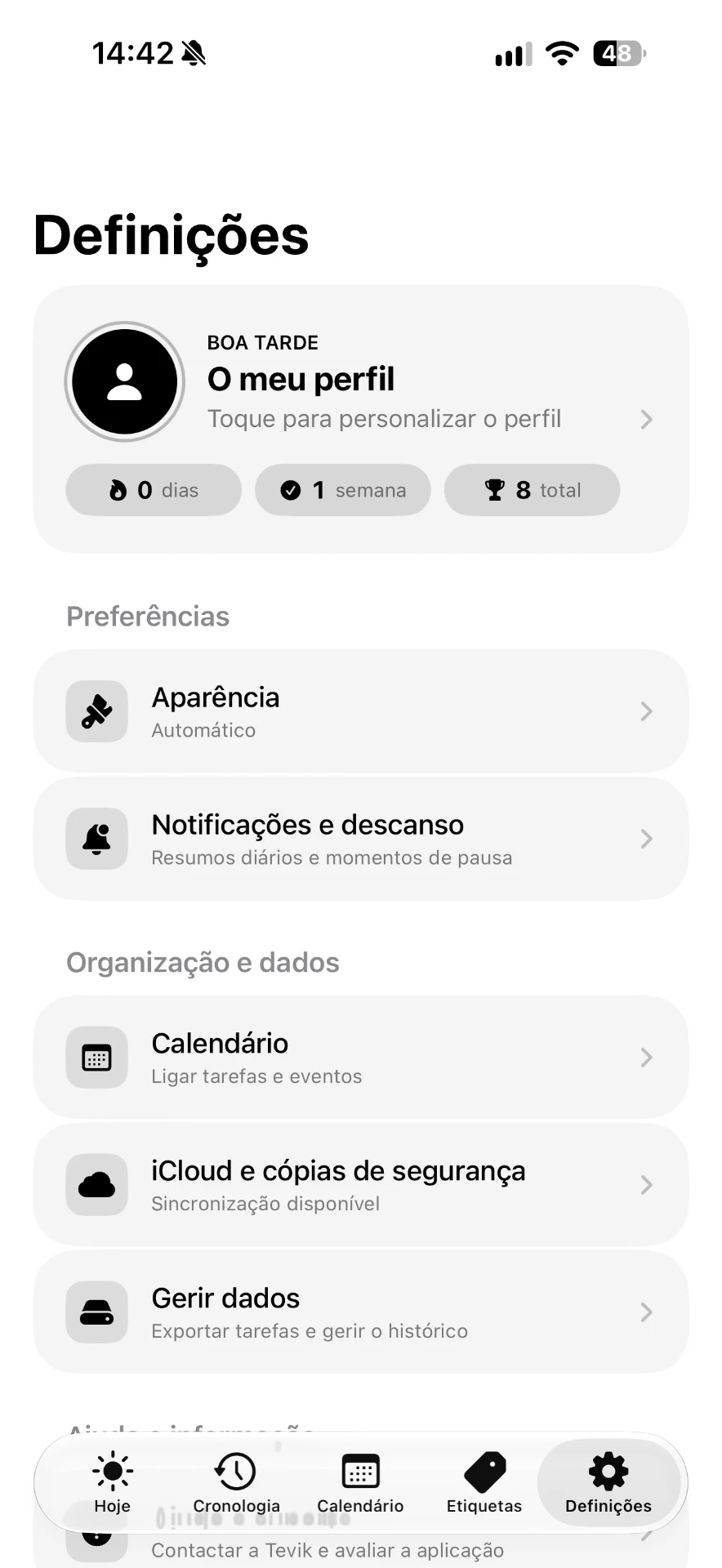
Settings & Appearance
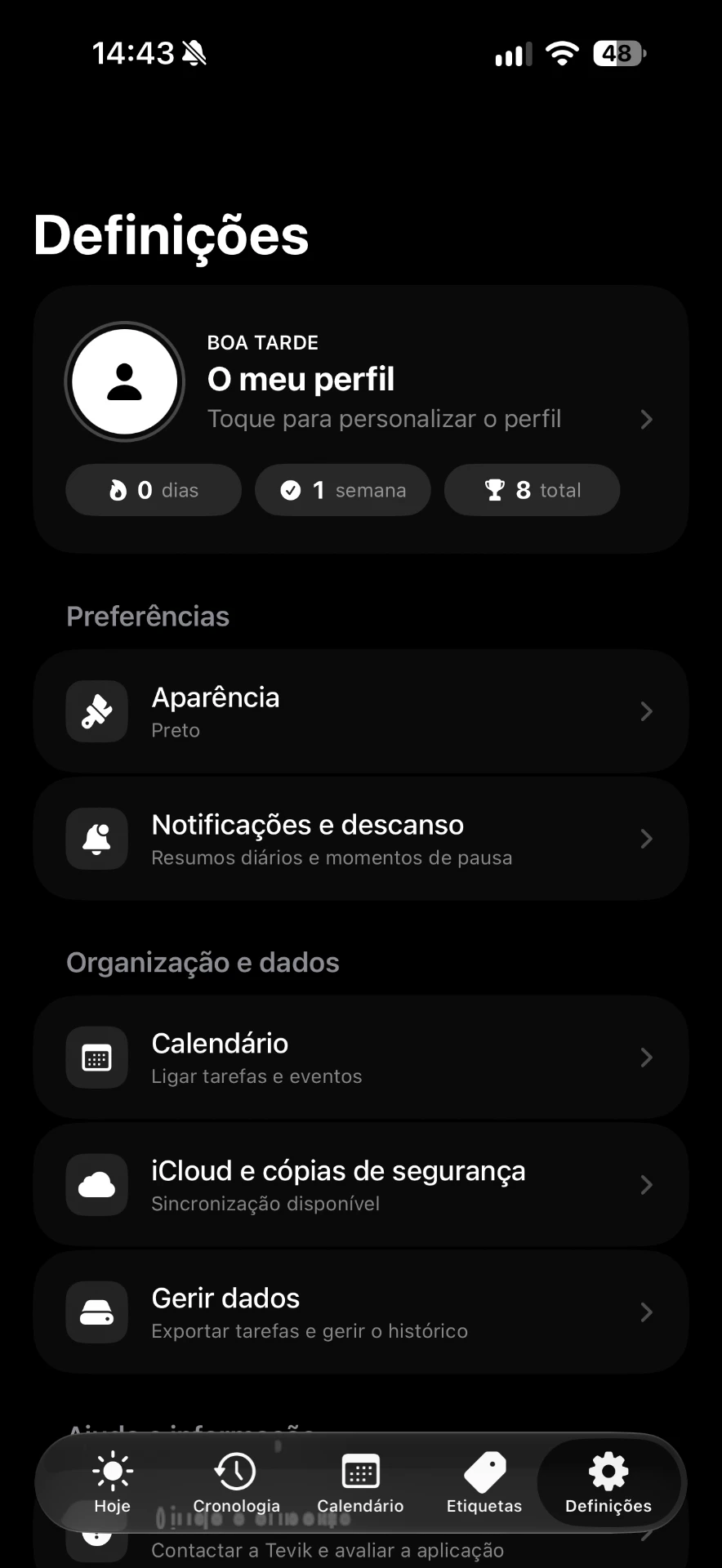
Profile, appearance, iPhone Calendar sync and smart notifications — all in one place, simple and straightforward.
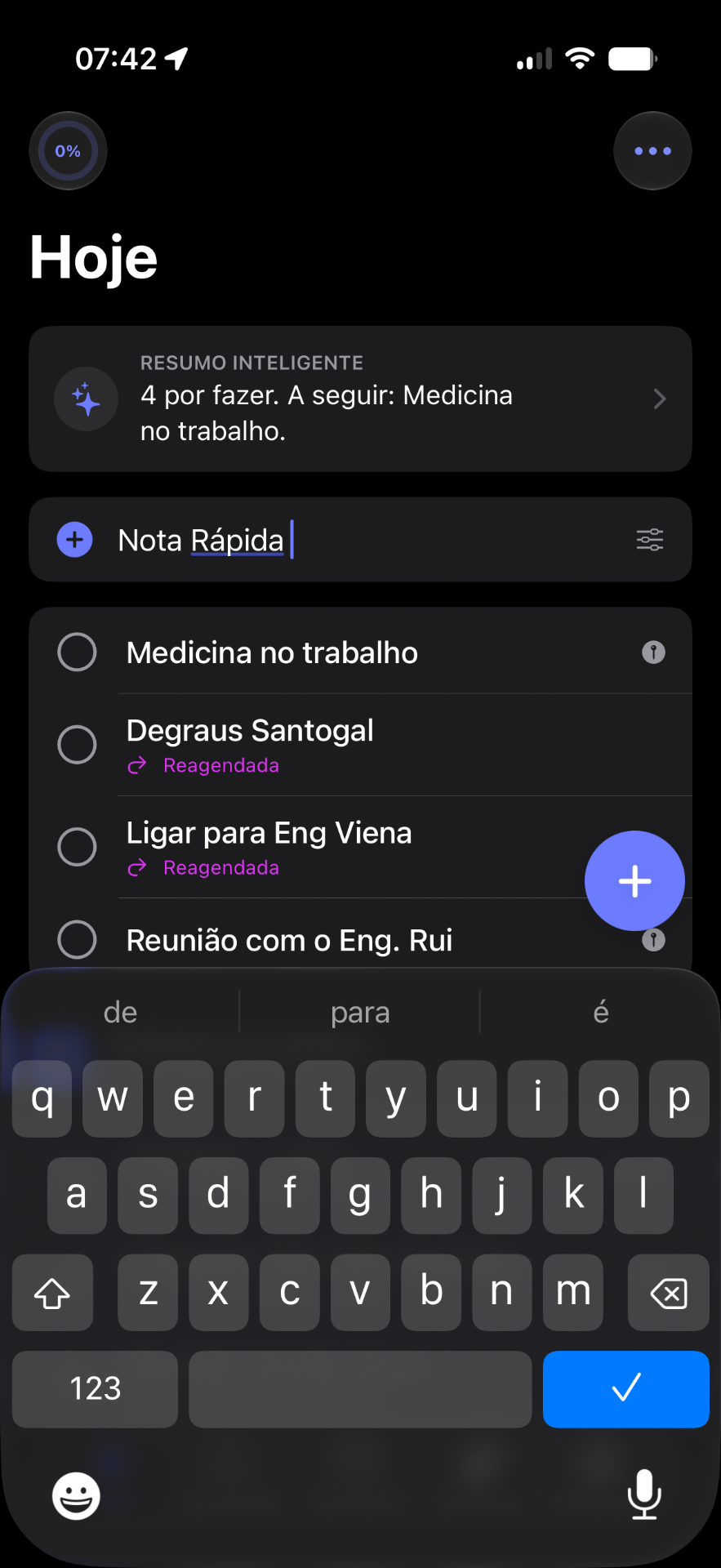
Quick Note
Tap, type and you're done. Quick Note turns a thought into a task before it slips away.
Desempenho
Streak, completions, weekly consistency and pending tasks by priority. Everything you need to understand where you are — and where you can go.
Task map
Your tasks with locations appear on a map. Tap and get directions in a single gesture — perfect for meetings, appointments and errands.
Privacy
Built on the simplest rule in the world: the app you use every day shouldn't know everything about you.
Your data stays on your iPhone. Nothing goes to the cloud without your say-so.
We don't ask for your email, name or number. Open the app and get started.
Zero analytics, zero advertising SDKs, zero profiles about you.
Never. It's a promise, not a phase. Tevik is supported by those who love it.
Tevik is made by just one person, in Portugal, with no investors and no ads. Support is always voluntary and never unlocks features.
Say hello and support the project
Help maintain and develop the project
Fund a new feature
Secure payment via Whop (1€ and 3€) and Buy Me a Coffee (5€) · One-off, non-recurring
Available on the App Store
Download Tevik for free. No account, no hassle.
Download on the App StoreFree · No account · No ads